
1 · Widget
Start on the Home Screen.
The widget shows today’s reps, goal and streak, one tap from the keypad.
 Skiplegs
Pull-ups · Push-ups · Dips · Squats · Core
A bodyweight training log for iPhone and Apple Watch. Five movements, one ring for the day, and a flame your first set lights.
Coming soon to the App Store · iPhone with iOS 16 or later · Apple Watch with watchOS 10
Why Skiplegs
Logging takes seconds, and every day gives you a reason to come back: your own numbers, your friends, and a day worth sharing.
Plus, 1, 2, Save: twelve reps are in.
79variationsAcross pull-ups, push-ups, dips, squats and core.
5ways inThe app, Apple Watch and Siri, plus a widget and a Lock Screen button that open the keypad.
15sets a day, freePro adds unlimited sets, your whole history and full-screen charts.
How it works
Recorded in the app on a sample log and cut for time: a set started from the Home Screen widget, then the next one told to Siri.
1 · Widget
The widget shows today’s reps, goal and streak, one tap from the keypad.
2 · Keypad
On the exercise you trained last. No menus, no forms.
3 · Save
12 push-ups go straight into the day.
4 · Counted
At set 3, 5, 7, 10 and on, the day stops to count: here the 13th set, 238 reps today.
5 · Siri
“Hey Siri, add to Skiplegs.” Answer in your own words, even on a locked iPhone.
English Siri. The words are the app’s own; this Siri screen is drawn, because Siri can’t be recorded in the simulator.
Five movements
Pick the exercises you train, and Add Set, Progress and the Watch show only those. Every set has its variation: 79 of them, from Australian rows to a full planche. Weighted sets take the kilos; planks and other holds are timed in seconds.


Log from anywhere
Skip the phone if you like: a Home Screen widget, a Lock Screen button, Siri and Apple Watch all log into the same day, and a Live Activity keeps the totals in view. Workouts can go to Apple Health too.
Live Activity
Today’s totals stay on the Lock Screen and in the Dynamic Island while you train, one bar per exercise.
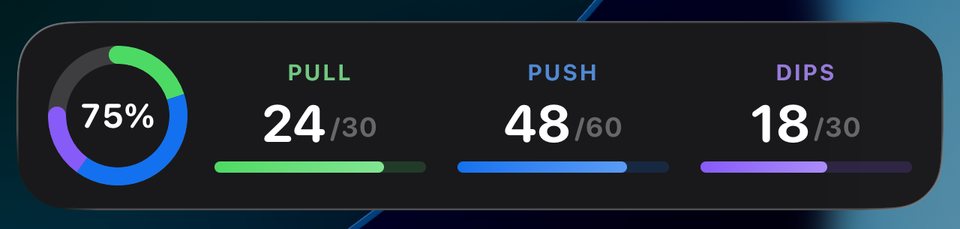
iOS 16.2 or later.
Apple Watch
Add set, pick the move and the variation, set the reps with the Digital Crown or the buttons, save. It syncs with your iPhone.
Included with the iPhone app. watchOS 10 or later.
Siri
Siri logs the set without opening the app, even on a locked iPhone, and tells you where the day stands.
Hey Siri, add to Skiplegs
What did you do?
Twelve wide-grip pull-ups
Logged 12 wide grip pull-ups in Skiplegs.
English Siri. “Add to Skiplegs” takes added weight too; for a bodyweight set there’s also one phrase: “Log eight pull-ups in Skiplegs.”
Widgets
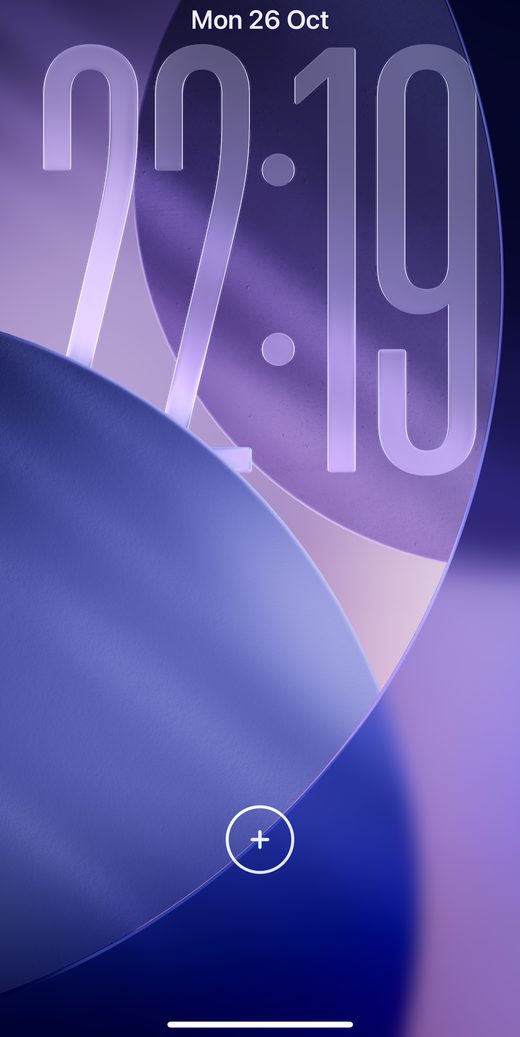
Put the Skiplegs button on your Lock Screen and Add Set is one tap away. The Home Screen widget shows today’s reps, goal, exercises and streak, and opens there too.
Friends
Your friends land on one list: who has trained today, with their sets, reps, best set and streak, updated live. A fire ring marks everyone who has already trained.
Swipe to compare
Swipe from a friend’s profile to yours: records, totals and the last 12 weeks line up side by side.
Leaderboard
You and your friends, ranked by the XP your badges earn.
Sample people: the phone is the app on a test log; the two cards are drawn with the app’s wording. Friends need a free account. One switch decides whether your profile is public: it shows totals, streak and the last 12 weeks, never the sets themselves.
Stories and sharing
Log your first set and your friends get a Training day story for 24 hours, no extra step. Post a recap of the week or month, your top three bests, a new badge, or a session you trained together.
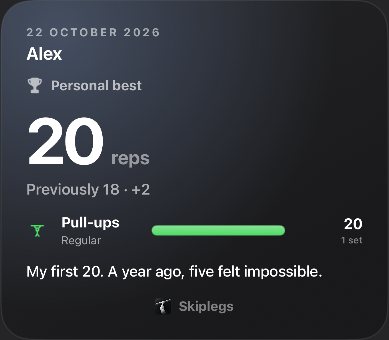
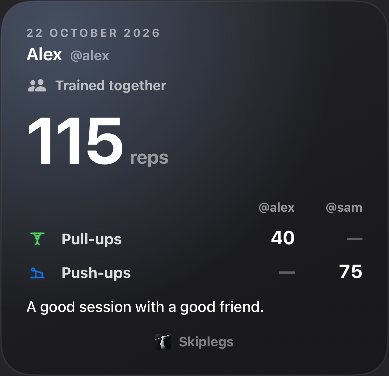
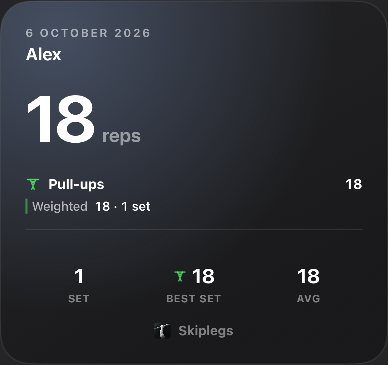
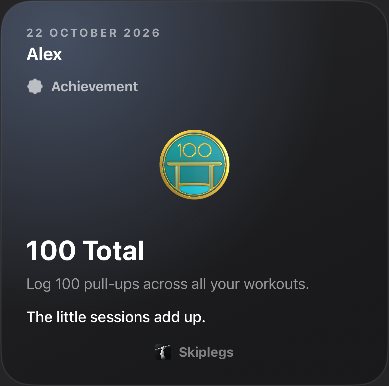
Friends like a story with one tap. On yours, “Seen by” shows who watched it.
Invite a friend to one story with both workouts side by side. It goes up only if they accept.
Keep the best stories on your profile past the 24 hours, in named highlights.
Your day, streak, goal, record or a month’s progress as a card, in 9:16 story format for Instagram, Telegram or Messages.

Insights
Open the app yourself on a day you haven’t trained yet, and the day starts out of the Dynamic Island: a line for the day and a Let’s go that opens the keypad. After a quiet set, one true fact from your log: a best week, a record, a friend you just passed. Rare on purpose, never a guilt trip.
With the Dynamic Island. Other iPhones get a card under the status bar.
Consistency
Any set counts, a plank included. The calendar shows what you trained. The grey band shows how long the fire has burned.
10
day streak
Log a set to light it.
Pull-upsPush-upsDipsSquatsCore
0 day streak · Sample data
Streak recovery
Your fire is frozen.Back on fire.
On this page the squats are on the honour system.
0 / 30 squats
Tap or hold the ice · +1 squat
You brought it back.
Streak frozen · No training · paid with 30 squats today
Progress
Week, month, six months or a year. Drag the chart into the past and the whole page comes with it.
A floating period pill. Everything together, by exercise, or one variation.
The trend sets this week up to Wednesday noon against last week up to Wednesday noon. Green up, red down, grey for no change.
In a Row, Most in a Row and Max Set never shrink when you switch to a shorter window.
A minute of plank is a minute, not sixty reps: 12 min 30 s held.
ProThis week, month or year is always free. Older ones show when you trained. Pro shows how much.
Milestones
Your first 100, a 2.5K total, a month without a missed day. Each milestone is a 3D enamel medal with your number struck in metal. Weekly and monthly ones come back, so there is always a next one.
Earned on the set that crosses the line. Here, 8 pull-ups finish today’s goal and make it 75 in a day: the badge lands with its XP.
New achievement
2.5K Total · Pull-ups
Drag to turn it
Pricing
Up to 15 sets a day on iPhone, Apple Watch and with Siri, plus Live Activities, widgets, badges, streaks and friends.
Included free
ProAdds three things
Go past 15 sets a day, on iPhone, Apple Watch and with Siri.
Look back at any earlier week, month or year in Progress.
Pinch, pan and tap any day for its exact numbers.
Prices at launch. No timers, no fake discounts, no made-up reviews.
No. Tap “Continue without an account” and your log stays on your iPhone. Sign in with Apple, Google or an email code to add sync, a daily backup, friends and stories.
Friends you accept see each set and when you logged it. Anyone signed in can find your name, username and photo; with a public profile, also your totals, streak, records, badges and stories. One switch makes the profile private.
No. Skiplegs is an iPhone app; the Watch app is optional (watchOS 10 or later). Sets you log on the Watch go to your iPhone, and wait in a queue when it’s out of reach.
“Add to Skiplegs”, then answer “What did you do?” in your own words, like “twelve wide-grip pull-ups”. Or in one phrase: “Log eight pull-ups in Skiplegs”. English Siri, on iPhone and Apple Watch.
With an account, Skiplegs saves your sessions to Health as strength workouts and, if you allow it, an estimate of active calories. It writes only and reads nothing from Health.
Everything is free with up to 15 sets a day. Pro adds unlimited sets, any earlier week, month or year in Progress, and full-screen charts. Monthly or yearly through Apple; you can buy and restore it without an account.
Yes. Every set is saved on your iPhone first and syncs when you’re back online. Friends, stories, sign-in and the backup need a connection.
Reminders are off until you turn them on. The daily nudge comes only on a day you haven’t trained, at the hour you pick, and every kind has its own switch.
No ads, no selling, no tracking across apps. Analytics and crash reports go to PostHog and Sentry under an ID, never your name or email. Health data never leaves your device. See the Privacy Policy.
Account › Delete Account. It deletes your account, profile, photo and synced data. Deleting it doesn’t cancel Pro: do that in Settings › your Apple Account › Subscriptions.


Skiplegs for iPhone and Apple Watch. Coming soon to the App Store.
One set lights the day. Light the flame ↑
Coming soon to the App Store